
 Back to moment
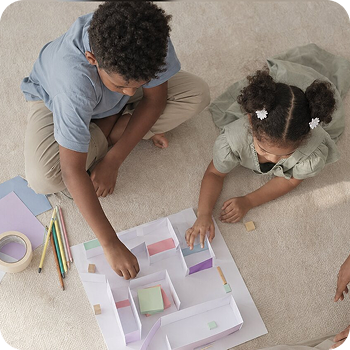
A Family AI Moment
Your child wants to build something with AI. Keep them in the builder's seat.
Maybe they showed you. Maybe you walked past and saw it: a quiz, a poster, a song, a tiny app.
Whatever they are making, AI can generate it in seconds. But the work still needs their own choices, taste, voice, and judgment.
You do not need to be an expert to help them build with purpose, explain their choices, and use AI safely.
You're still the one they trust most.








What to say
Curious first. Impressed second.
You do not need to be an AI expert to respond well. Start by showing interest in what your child made, then gently help them notice where their own thinking, choices, and effort came in.
When they show you something made with AI, ask about the process before praising the result. What was their idea? What did they ask AI to do? What did they change, choose, reject, or improve?
Enjoy what they made. The point is not to make AI feel less exciting. It is to make sure the polished output does not become more valued than their own drawings, writing, drafts, experiments, and unfinished ideas.

AI conversation starters
If they're stuck.
"What have you tried so far? Let's look at it together before you ask AI to fix it." Being stuck is often where the thinking happens.
If they want a new tool.
"Show me what this tool does and why you want to use it. Let's check together what information it asks for and whether it's right for your age."
If you're worried they are spending too much time on it.
The conversation isn't about stopping creativity. It's about whether they're leading or following. Try: "I can see you are really into this. I do not want to stop the creativity. I am just curious. Are you directing where this goes, or is AI deciding for you? Because if you are the one with the vision and AI is helping you build it, that is exactly the right way to use it."
When you've pushed too hard
"I asked too many questions. I want to be useful, not in the way. Tell me what you actually need from me right now."

What to know
AI makes it fast. Choices make it theirs.
AI can help children make things fast: images, stories, games, songs, posters, slides, code. That is exciting. It can also make the result look more impressive than the thinking behind it.
AI is a powerful tool. It should not decide what they are making, what is safe, or what feels like theirs. Neither should you: it is their project, not yours.
The making is in the choices: what they asked for, what they kept, what they changed, what they rejected, what they made their own.
Researchers found that writing with AI made people's stories better one by one, and more alike overall. Speed and polish come from the tool. The originality still has to come from your child.
Decades of research on praise point the same way: children praised for their effort and choices stay motivated longer than children praised for talent or a perfect result.

Can they explain what AI did?
What did AI suggest, and what did they keep, change, or reject?

Do they know AI can be wrong?
Check facts, names, images, code, and anything they plan to share.

Can they tell what came from AI?
It matters for school, credit, honesty, and confidence.

Have they thought about who it affects?
Could it mislead, copy, exclude, embarrass, or hurt anyone?
Plenty of what children make with AI builds real skills. A few directions worth encouraging:
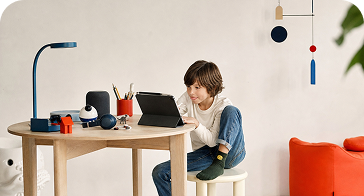
A simple website or page.
A fan page, a club, a school project (with teacher's guidance).
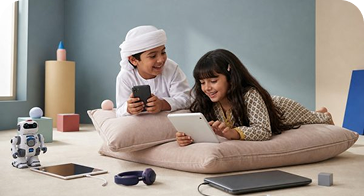
A small game, quiz, or app.
Including fixing it when it breaks.

Learning support.
Notes into flashcards, a topic explained another way, practice questions.

Writing they shape.
Outlining their own idea, drafting then rewriting in their voice, song lyrics.
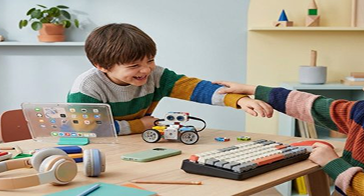
Music and sound.
Sketching a melody, planning a podcast.
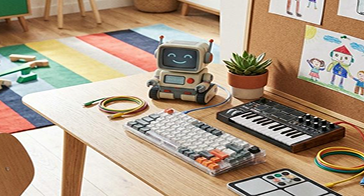
A family project.
A trip itinerary, a recipe collection, a savings budget.

Tinkering & research.
Comparing options, planning an experiment, organising a collection.
At its best, a child uses AI as a thinking partner, sharing what they already think, asking AI to challenge or extend it, and building an answer that's genuinely theirs.
What changes with age
The conversation looks different at each stage of growing up.
An eight-year-old is still learning what AI is. A thirteen-year-old already knows. The conversation needs to match where they are, the question that helps at one age can feel like surveillance at the next.
Which age is your child?
Gen DubAI is designed for families with children in late childhood and early adolescence. These years are when many children begin using digital tools more independently and when parents and caregivers can still strongly shape habits, boundaries, and judgment. The age range is informed by broad developmental research. Around 11 to 12, many children begin moving from more concrete thinking toward more abstract reasoning. By 13 to 15, children often seek more independence, rely more on peers, and encounter more complex digital situations. This does not mean guidance is no longer needed after 15. It means this guide is focused on the years where early family guidance can have strong preventative value. Every child develops differently. Use the age guidance as a starting point, not a strict rule.
Sit nearby. Keep it age-appropriate.
At this age, building is exploratory. Your child may use AI to draw, write a story, make a quiz, animate an idea. The building blocks are curiosity and imagination. Let them make what they already love: dinosaurs, football, a favourite game.
Sit nearby, keep the tool age-appropriate, and help them notice: What did you ask AI to do? What did AI give you? What did you change? What did you make yourself?
AI conversation starters
Understand the project. Coach their judgment.
At this age, building can become more intentional. Your child may use AI to code, design, make content, prototype an app, or improve a school project. The strongest projects start from something they already care about.
Coach for Three Habits:
Ownership. They can explain their idea, what AI helped with, and what they changed or decided themselves.
Care. They think about the people involved: whose image, voice, words, code, or private information might be affected.
Judgment. Before they share, they pause and ask: Is this true? Is it fair? Would I be comfortable and proud putting my name on it?
AI conversation starters
Something to try
Build Night.
One evening, one idea your child cares about, one small thing they make with AI.
Forget the perfect product. The goal is for your child to practise the builder's loop: start with an idea, ask the tool, look hard at what comes back, change it, and decide when it's theirs.
You ask good questions. They stay in charge.
Pick a real problem or question
"What do you want to make easier, better, or more fun?"
Decide what AI helps with
"What should AI do, and what should stay yours?"
Build a first version
"Why did you ask it that? What if you changed this?"
Test it with someone
"Who is this for? Does it work for them?"
Reflect before you finish
"What did AI help with? What did you change? What did you learn?"
Three questions before anything gets shared:
Whose image, voice, or work went into it?
Is it clear what AI helped with?
Could it mislead or hurt anyone?
If your child wants to upload personal information, school notes, photos, voice recordings, or images of other people, pause and check first.
Before you go
Pass it on.
This works best when every adult around your child says the same thing. Who's with them when you're not?
Send this card to another parent.
Partner, co-parent, guardian or a friend
Send this message to the child's caregiver.
Nanny, tutor or baby sitter
Send these directions
[Child's name] may use AI for homework. After they finish, please ask them to explain one part in their own words.
If they can explain it, okay. If they cannot explain, please tell me.
Please do not do the homework for them.
Help us make this better.
Please do not include personal details. Information submitted through this form is subject to our terms of use.
References

This moment draws on Gen DubAI parent research and guidance from MIT RAISE / Day of AI on children as active, creative AI users, and UNICEF guidance on child-centred AI, including safety, privacy, fairness, and development. It also reflects research showing that AI can make creative work look more polished while making ideas more similar, which is why this moment focuses on the child's choices, voice, and judgment.


